Connect only the chat you need
Until you click Connect, MaglaSync does not read that conversation.
KEEP THE CONTEXT BETWEEN AI CHATS
MaglaSync keeps the essentials: what you are doing, what was decided, and what comes next. Open a fresh chat and pick up where you left off.
Budget, preferred areas, checked options, and questions for the lawyer — in one context.
A SIMPLE IDEA
Stop searching old conversations and manually retelling everything that matters.
Until you click Connect, MaglaSync does not read that conversation.
Your goal, key decisions, and next steps stay with the project you chose.
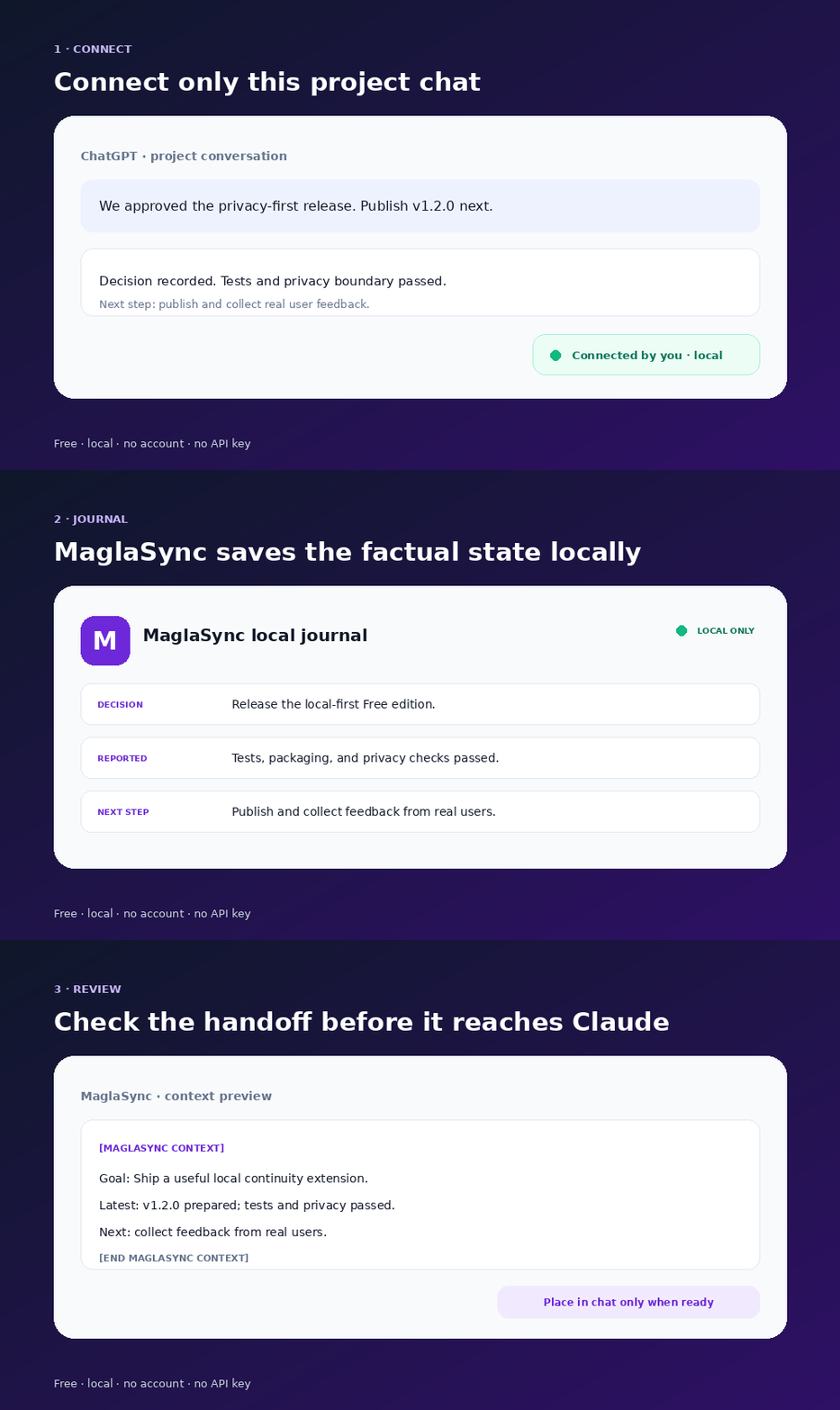
Review and edit the handoff first. Then place it in the chat and press Send yourself.
SEE IT YOURSELF
MaglaSync first shows the handoff in a separate preview. Read and edit it, then choose to place it in the new chat.
WHEN IT HELPS MOST
Start in ChatGPT, check the idea in Claude, or continue in Gemini.
A week passes, but the goal, decisions, and next step are still there.
Open a fresh conversation and continue without writing a long recap.
A purchase, course, client job, or product launch stays organised.
CALM AND UNDER YOUR CONTROL
Free keeps the journal inside your browser. MaglaSync reads only conversations you connect yourself and never sends a message for you.
How privacy works →START FREE
Install MaglaSync from the official Chrome Web Store or Mozilla Add-ons listing. If it saves you time, simply keep using it.
Choose Chrome or FirefoxThese may become Pro features. The free local edition will remain useful on its own.
Tell us what is missing →THE IMPORTANT QUESTIONS
No. Every conversation starts disconnected. MaglaSync saves messages only after you connect that exact chat to the project.
No. By default, MaglaSync keeps a short buffer of the 24 most recent messages from connected chats plus separate project updates. You can explicitly opt in to a larger local history of up to 400 messages.
No. It first shows a separate preview. You choose to place the text in an empty message box and press Send yourself.
No. MaglaSync Free requires neither a MaglaSync registration nor an AI service API key.
Inside the installed extension's local storage. You can download a backup or delete all data.
Use the official Chrome Web Store or Mozilla Add-ons listing from the install page. The GitHub ZIP remains available only as a technical fallback for developers and reviewers.
MaglaSync Free — one local project with no registration or subscription.
Install free